
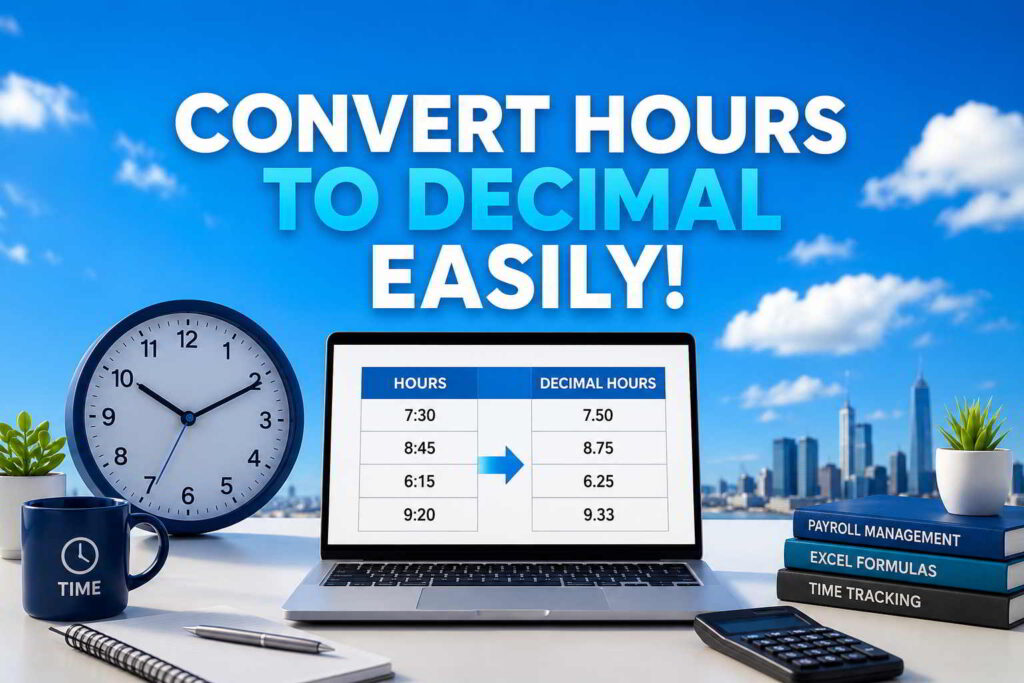
Hours to Decimal Converter: Formula, Chart, and Excel Examples
Convert hours and minutes to decimal hours accurately with a free calculator, simple formula, conversion chart, and practical Excel methods.
Hours and minutes are written in clock time, which is based on 60 minutes per hour. Decimal hours use a base-ten fraction instead. That difference matters when you total a timesheet, multiply hours by an hourly rate, prepare an invoice, or enter time into payroll software.
The most common mistake is treating the minutes as if they were hundredths. 4:30 is not 4.30 decimal hours. Thirty minutes is half an hour, so 4 hours and 30 minutes equals 4.50 decimal hours.
Hours to Decimal Calculator
Enter hours and minutes to calculate decimal hours instantly.
8 + (20 ÷ 60) = 8.33 decimal hours
How to Convert Hours to Decimal
Use this formula for any duration expressed as whole hours and minutes:
First, keep the whole-hour value. Next, divide the minutes by 60 to turn them into a fraction of one hour. Finally, add the fraction to the whole hours.
45 ÷ 60 = 0.75
7 + 0.75 = 7.75 decimal hours
Hours and Minutes to Decimal Examples
These examples cover common timesheet entries. The result is displayed to two decimal places where necessary.
| Clock time | Calculation | Decimal hours |
|---|---|---|
| 1 hour 15 minutes | 1 + (15 ÷ 60) | 1.25 |
| 2 hours 30 minutes | 2 + (30 ÷ 60) | 2.50 |
| 4 hours 30 minutes | 4 + (30 ÷ 60) | 4.50 |
| 6 hours 20 minutes | 6 + (20 ÷ 60) | 6.33 |
| 7 hours 45 minutes | 7 + (45 ÷ 60) | 7.75 |
| 8 hours 50 minutes | 8 + (50 ÷ 60) | 8.83 |
Minutes-to-Decimal Conversion Chart
Use this chart to convert minutes into the decimal portion of an hour. Values are rounded to two decimal places for display.
| Minutes | Decimal | Minutes | Decimal | Minutes | Decimal |
|---|---|---|---|---|---|
| 1 | 0.02 | 21 | 0.35 | 41 | 0.68 |
| 5 | 0.08 | 25 | 0.42 | 45 | 0.75 |
| 10 | 0.17 | 30 | 0.50 | 50 | 0.83 |
| 15 | 0.25 | 35 | 0.58 | 55 | 0.92 |
| 20 | 0.33 | 40 | 0.67 | 60 | 1.00 |
For a minute value not shown in the compact chart, divide that value by 60. For example, 38 minutes equals 38 ÷ 60 = 0.6333, which displays as 0.63 decimal hours.
How to Convert Decimal Hours Back to Hours and Minutes
To convert decimal hours back into clock time, keep the whole number as hours and multiply the decimal portion by 60.
The whole number is 6 hours. The decimal portion is 0.75.
0.75 × 60 = 45 minutes, so 6.75 hours equals 6 hours and 45 minutes.
When rounding produces 60 minutes, carry one hour. For example, a result displayed as 2 hours and 60 minutes should be written as 3 hours and 0 minutes.
How to Convert Time to Decimal in Excel
Excel stores a time value as a fraction of a 24-hour day. Therefore, multiplying a valid Excel time by 24 converts it to decimal hours.
Method 1: A time value is in one cell
If cell A2 contains a real Excel time such as 08:20, use:
Format the result cell as Number with two decimal places. The result will be 8.33.
Method 2: Hours and minutes are in separate cells
If hours are in A2 and minutes are in B2, use:
For example, if A2 contains 8 and B2 contains 20, the formula returns 8.33.
Method 3: Start time and end time
If a shift starts in A2 and ends in B2, use:
This works for a same-day shift. For a shift that passes midnight, use:
Format the start and end cells as time and the result as a number. This prevents Excel from displaying the decimal-hour result as a clock time.
How to total decimal hours in Excel
If decimal-hour results are in cells C2:C20, total them with:
Keep the total formatted as a number. If you instead sum actual Excel time values, multiply the total by 24:
Rounding Decimal Hours for Timesheets and Payroll
There is an important difference between display rounding and an organization’s official payroll or billing rule. For example, 20 minutes is exactly 0.333333… hours, which is commonly displayed as 0.33. The display may be rounded while the underlying calculation retains more precision.
For billing calculations, calculate with the unrounded value when possible and round the final amount according to the applicable invoicing policy. This reduces cumulative errors across many entries.
Frequently Asked Questions
What is 20 minutes in decimal hours?
Twenty minutes is 20 ÷ 60 = 0.3333… hours, usually displayed as 0.33 decimal hours. Eight hours and 20 minutes is therefore 8.33 decimal hours when rounded to two decimal places.
What is 15 minutes in decimal hours?
Fifteen minutes is 15 ÷ 60 = 0.25 decimal hours.
What is 30 minutes in decimal hours?
Thirty minutes is 30 ÷ 60 = 0.50 decimal hours. It is not 0.30.
What is 45 minutes in decimal hours?
Forty-five minutes is 45 ÷ 60 = 0.75 decimal hours.
Is 4.30 the same as 4 hours and 30 minutes?
No. In decimal hours, 4 hours and 30 minutes equals 4.50 hours. The notation 4:30 represents clock time, while 4.30 represents four and three-tenths decimal hours.
What Excel formula converts time to decimal hours?
If the cell contains a valid Excel time, multiply it by 24: =A2*24. If hours and minutes are separate, use =A2+(B2/60).
Summary
To convert hours to decimal, divide the minutes by 60 and add that fraction to the whole hours. The formula is decimal hours = hours + (minutes ÷ 60). For quick calculations, use the converter above. For spreadsheets, use =A2*24 for a real Excel time value or =A2+(B2/60) when hours and minutes are in separate cells.