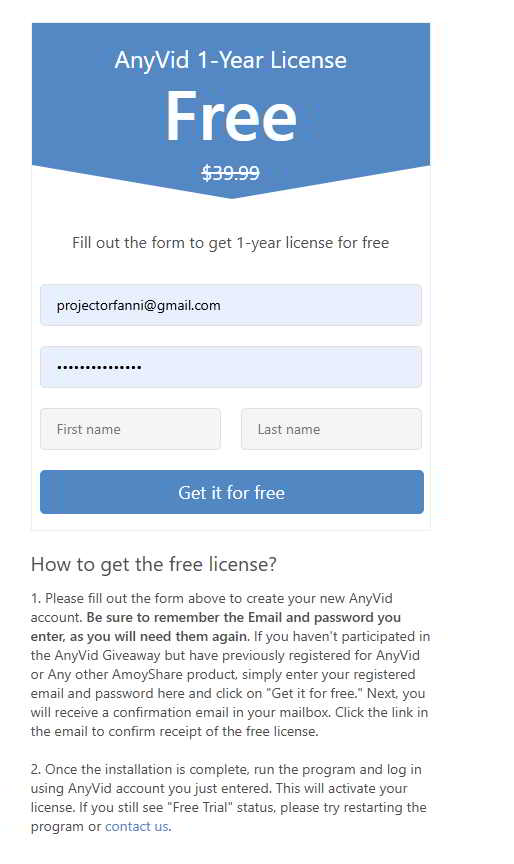
FIRST STEP : Download avira by clicking on blue download button.
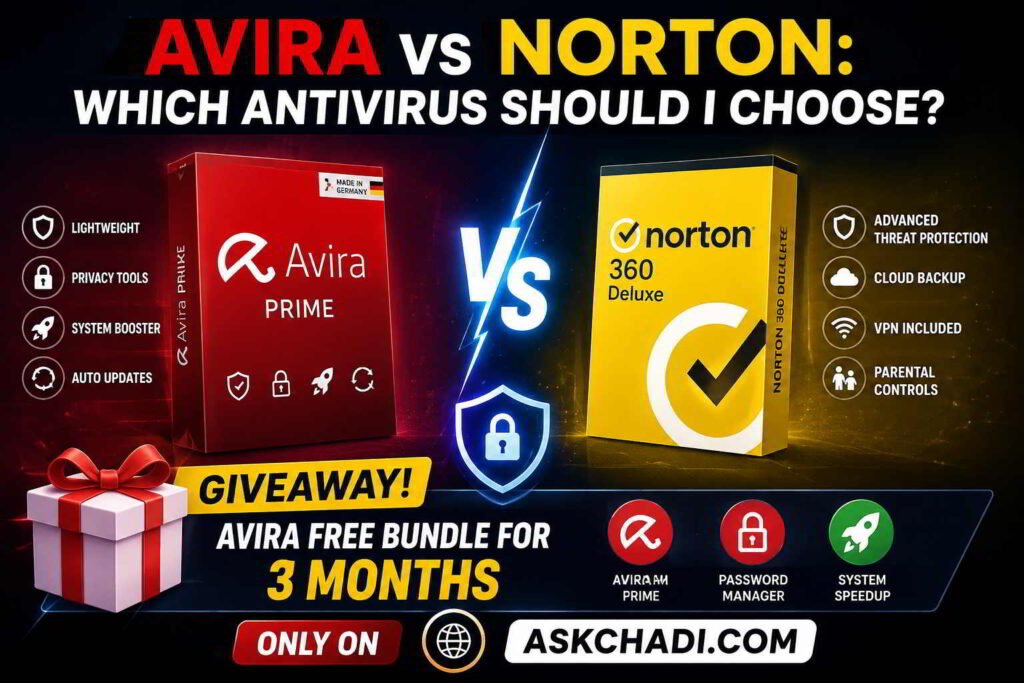
Avira Giveaway free for 3 months on askchadi.com
SECOND STEP : Click below to get offer
Quick answer: Norton is the stronger overall pick for most households that want a paid, all-in-one security suite. It combines strong recent independent-test results with features such as a VPN, cloud backup, password management, scam protection, and selected family or identity tools. Avira is the better choice if you want a capable free antivirus or put more value on PC tune-up tools and an unlimited VPN in a higher-tier plan. Both are credible options; the right choice depends on your budget, devices, and the extras you will actually use.
Avira vs. Norton: the verdict at a glance
| Category | Avira | Norton | Best fit |
|---|---|---|---|
| Malware protection | Strong protection in current independent testing. | Strong protection with the stronger recent overall test record. | Norton |
| Free antivirus | Yes. Avira Free Security includes real-time protection and useful extras, with limits. | No like-for-like, permanently free consumer suite. | Avira |
| Paid-suite depth | Antivirus, password manager, software updating, VPN, and optimization tools by plan. | Antivirus, VPN, backup, scam tools, dark-web monitoring, privacy, and family tools by plan. | Norton |
| PC maintenance | Prime emphasizes tune-up and software-update tools. | Not the central value proposition of the 360 suite. | Avira |
| Cloud backup and parental controls | Not a core Avira bundle advantage. | Available on selected Norton 360 plans; platform and plan limits apply. | Norton |
| Identity tools | Selected identity and monitoring features vary by location and plan. | LifeLock tiers add U.S.-oriented identity features, subject to eligibility and terms. | Norton for eligible U.S. users |
Choose Avira if you want free baseline protection, a modular route to paid tools, or a suite that places more emphasis on optimization. Choose Norton if you want a broader paid bundle for several devices and will use features such as backup, parental controls, or scam-protection tools.
1. Malware protection: both are credible, but Norton has the edge
Protection should be the first comparison point. A modern antivirus is not just a file scanner: it may combine web filtering, reputation data, behavior monitoring, cloud analysis, and ransomware defenses. No security product can prevent every cybercrime, so it is more useful to compare independent test results than to rely on a universal “100% safe” claim.
In AV-TEST’s June 2026 Windows consumer test, Avira Internet Security scored 6 out of 6 for protection, 4.5 out of 6 for performance, and 6 out of 6 for usability. Norton 360 scored 6 out of 6 in all three categories and received the lab’s Top Product designation. [1] This is a meaningful advantage for Norton in that test cycle, while still confirming that Avira delivered strong protection.
AV-Comparatives’ July–October 2025 Real-World Protection Test used 428 current online-threat test cases. It reported a 100% protection rate for Norton and 99.5% for Avira; both products were placed in the top protection cluster and earned Advanced+ in that test. [2] The lab’s 2025 annual report then named Norton a Top-Rated Product, awarding it Gold for Real-World Protection. Avira received Bronze awards for Real-World Protection and Advanced Threat Protection. [3]
Protection winner: Norton. The difference is not a reason to dismiss Avira, but Norton has the stronger recent independent evidence when security performance is your main priority.
2. Features: Norton is broader; Avira is more maintenance-focused
Both products sell more than antivirus. The important question is whether the extras solve problems you actually have, rather than whether a feature list is longer.
What Avira includes
Avira’s paid Windows lineup includes Antivirus Pro, Internet Security, and Prime. Antivirus Pro adds real-time, USB, web, and firewall protections on Windows. Internet Security adds a premium password manager and software-updating tools. Prime adds unlimited VPN data, premium mobile apps, more than 30 Windows optimization tools, and selected monitoring features where available. [4]
That makes Avira particularly appealing to people who want security plus PC maintenance. If you care about cleaning unused files, controlling startup items, keeping software updated, and using an unlimited VPN, Avira Prime is the Avira plan worth comparing against a larger suite.
What Norton includes
Norton’s paid lineup starts with core device security and expands across Norton 360 tiers. Depending on the exact plan, Norton combines antivirus protection with a VPN, password manager, cloud backup, dark-web monitoring, SafeCam, Privacy Monitor, parental controls, and AI-powered scam-protection features. [5]
In the United States, Norton 360 Deluxe currently includes coverage for five devices, 50 GB of cloud backup, a VPN, password manager, Privacy Monitor, and parental controls. Norton 360 with LifeLock plans add U.S.-oriented identity monitoring and reimbursement benefits, but eligibility, coverage, and financial terms vary by tier. [5] [6]
Features winner: Norton for families; Avira for device care. Norton is more compelling when a single subscription should protect several people and devices. Avira is more compelling when PC optimization and a flexible collection of privacy tools are central to your decision.
3. Avira Free Security vs. paid antivirus suites
Avira has an advantage Norton does not match: a useful no-cost entry point. Avira Free Security includes cloud-based real-time protection, a browser-safety extension, a password manager, tune-up tools, and a Windows VPN allowance of 500 MB per month. Avira says its free and paid antivirus products use the same scan engine, while premium tiers add features and services. [7]
That makes Avira Free Security a reasonable option for one PC when your budget is limited. The trade-off is that free software has limits, upgrade prompts, and fewer bundled services. It is not a replacement for features such as large cloud backup, broad parental controls, or the higher-tier identity services available from Norton.
Free-plan winner: Avira. If you want a permanent no-cost antivirus with useful baseline protection, start with Avira. If you want a comprehensive paid suite for multiple devices, compare Norton 360 plans instead.
4. Performance: use current labs, not unverified RAM claims
Antivirus performance depends on your hardware, installed software, settings, and the work you do. For that reason, generic claims about a fixed number of megabytes of RAM or a universal percentage of CPU overhead are not reliable unless the test setup is published.
The most current direct comparison in this review is AV-TEST’s June 2026 Windows result: Norton received 6 out of 6 for performance, while Avira received 4.5 out of 6. [1] AV-Comparatives also gave Norton an Advanced+ performance award in its April 2026 test. Avira was not part of that particular round, so that report should not be presented as a current head-to-head Avira-versus-Norton performance test. [8]
Performance winner: Norton on the current evidence available here. If your PC is older or you regularly compile code, game, edit media, or work with large files, test the product on your own device during the available trial or refund period.
5. Pricing, device coverage, and real value
Antivirus promotions change frequently, and first-year pricing can be very different from the renewal rate. Compare the checkout total, renewal price, device count, operating-system support, and included features before you pay. A low advertised price is not a good deal if it covers too few devices or omits the tools you need.
Avira’s paid plans offer different device counts and terms. Its current comparison page describes Prime options for five or 25 devices, while Antivirus Pro and Internet Security have one-, three-, and five-device options. [4] Norton’s current U.S. product page lists Norton 360 Standard with three-device coverage and 2 GB of backup, while Norton 360 Deluxe covers five devices and includes 50 GB of cloud backup. Norton also states that introductory prices may differ from renewal prices. [6]
Value winner: Avira for a free or maintenance-oriented setup; Norton for a household that will genuinely use its backup, privacy, family, and scam-protection tools. Avoid paying for identity services or cloud storage you do not need.
6. Who should choose Avira, and who should choose Norton?
Choose Avira if you:
- Want a capable free antivirus for a PC.
- Prefer a lighter, more modular path from basic antivirus to premium tools.
- Value software updating, tune-up tools, and an unlimited VPN in a higher-tier plan.
- Do not need family controls, cloud backup, or U.S.-specific identity features in the same subscription.
Choose Norton if you:
- Want a paid, all-in-one security suite for several devices.
- Need cloud backup, parental controls, dark-web monitoring, and broader scam-protection tools.
- Prefer the stronger recent independent-test record.
- Are eligible for and want the U.S.-focused identity features available through LifeLock tiers.
Final verdict: should you buy Avira or Norton?
Norton is the better overall paid antivirus for most households in 2026. It has the stronger recent independent-test record and a more complete selection of features for people who want antivirus protection, VPN access, backup, password management, scam protection, and family tools in one plan.
Avira is the better choice for free protection and for users who prioritize PC maintenance. Avira Free Security is a good no-cost starting point, while Avira Prime is more attractive when unlimited VPN access and optimization tools matter more than Norton’s deeper household and identity bundle.
Frequently asked questions
Is Norton better than Avira?
For a paid, all-in-one security suite, Norton is generally the stronger choice because it has a stronger recent independent-test record and a broader bundle on selected plans. Avira remains a good choice for free protection and PC-maintenance features. [1] [2] [3]
Is Avira Free Security good enough?
Avira Free Security is a reasonable starting point for one PC because it includes real-time protection and useful extras. It does not offer the same feature depth as a premium suite, so users who need unlimited VPN use, large backup, parental controls, or more extensive identity services should compare paid plans. [4] [7]
Does Norton 360 include a VPN?
Norton 360 plans include a VPN, but the number of supported devices and other features depend on the plan. Confirm the exact plan and your country before purchasing. [5]
Can I run Norton and Avira at the same time?
Do not run two real-time antivirus products at the same time unless the vendors specifically support that configuration. Active protection layers can conflict, reduce performance, or create false detections. If you switch products, uninstall or disable the previous real-time suite first.
Is Avira Prime worth it?
Avira Prime can be worth it if you will use its unlimited VPN, premium mobile apps, password manager, software updater, and Windows optimization tools. If you only need basic malware protection, Avira Free Security or a lower-tier Avira plan may offer better value. [4] [7]
Sources and methodology
This article uses current official product pages for plan details and independent lab reports for protection and performance context. Product features, country availability, and prices can change, so the linked pages should be checked before purchase.
- AV-TEST: Windows consumer test results, June 2026
- AV-Comparatives: Real-World Protection Test, July–October 2025
- AV-Comparatives: Summary Report 2025
- Avira: Compare security bundles
- Norton: Compare Norton 360 plans and features
- Norton: U.S. product and plan information
- Avira Free Security
- AV-Comparatives: Performance Test, April 2026
Editorial note: Security software can reduce risk but cannot prevent every scam, data breach, malware incident, or identity theft. Keep your operating system and applications updated, use unique passwords with multi-factor authentication, and verify unexpected messages before acting.