
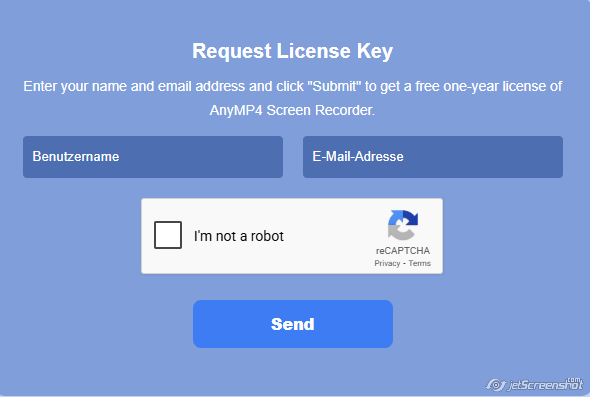
Giveaway License key :
https://www.anymp4.de/resource/bildschirm-aufnehmen/?AFFILIATE=59932
Screen recording has become essential for many professionals, educators, gamers, and content creators. Whether you want to create tutorials, record online meetings, capture gameplay, or save streaming videos, a reliable screen recorder is the perfect solution.
AnyMP4 Screen Recorder is a powerful and easy-to-use video recorder that allows users to capture their screen activities in high-quality MP4 video format. With its advanced recording options and intuitive interface, it is an excellent tool for both beginners and professionals.
In this guide, we will explore the key features, benefits, and uses of AnyMP4 Screen Recorder, and explain why it stands out among modern screen recording tools.
What Is AnyMP4 Screen Recorder?
AnyMP4 Screen Recorder is a professional screen recording software designed to capture video, audio, and screenshots from your computer screen.
The program allows you to record:
- Full screen activities
- Selected areas of your screen
- Webcam video
- System sound and microphone audio
All recordings can be saved as MP4 video files, making them compatible with most media players and editing software.
Key Features of AnyMP4 Screen Recorder
AnyMP4 Screen Recorder offers a wide range of features that make screen recording simple and efficient.
1. High-Quality Screen Recording
The software allows you to record videos in high resolution, ensuring clear and professional results.
Key benefits include:
- Smooth recording performance
- HD and Full HD support
- Export recordings as MP4 video
This makes it ideal for creating tutorials, presentations, or online content.
2. Flexible Recording Modes
AnyMP4 Screen Recorder offers multiple recording options to suit different needs.
You can record:
- Full screen
- Custom screen area
- Specific application windows
This flexibility makes it a versatile video recorder for various tasks.
3. Audio Recording Options
The software allows you to record multiple audio sources at the same time.
You can capture:
- System audio
- Microphone input
- Both simultaneously
This is especially useful when creating video tutorials, podcasts, or commentary videos.
4. Webcam Recording
AnyMP4 Screen Recorder includes a webcam recording feature that allows you to record yourself while capturing the screen.
This feature is perfect for:
- Online courses
- Video presentations
- YouTube tutorials
- Reaction videos
By combining screen capture and webcam recording, you can create more engaging MP4 video content.
5. Screenshot Capture
In addition to video recording, the tool also allows you to take screenshots during recording.
You can quickly capture:
- Important moments
- Slides from presentations
- Online information
Screenshots can be saved instantly for later use.
6. Task Scheduling
One of the advanced features of AnyMP4 Screen Recorder is its task scheduling option.
This allows users to schedule recordings automatically.
Examples include:
- Recording live streams
- Capturing online webinars
- Saving scheduled broadcasts
This feature ensures you never miss important content.
How to Use AnyMP4 Screen Recorder
Using AnyMP4 Screen Recorder is simple and beginner-friendly.
Step 1: Install the Software
Download and install AnyMP4 Screen Recorder from the official website.
Step 2: Choose Recording Mode
Select the type of recording you want:
- Screen recording
- Webcam recording
- Audio recording
Step 3: Select Recording Area
Choose whether to record:
- Full screen
- Custom screen region
- Application window
Step 4: Configure Audio Settings
Enable system audio, microphone, or both depending on your needs.
Step 5: Start Recording
Click the REC button to start recording your screen.
When finished, stop the recording and save your MP4 video file.
Benefits of Using AnyMP4 Screen Recorder
There are many reasons why users choose AnyMP4 Screen Recorder as their preferred screen recorder.
Easy to Use
The interface is clean and simple, making it suitable for beginners.
High-Quality Output
Recordings are saved in high-quality MP4 video format.
Multiple Recording Options
Users can record:
- Screen activity
- Webcam video
- Audio only
Lightweight Performance
The software runs smoothly without slowing down your computer.
Who Should Use AnyMP4 Screen Recorder?
This powerful video recorder is ideal for many types of users.
Content Creators
Create YouTube videos, tutorials, and online content.
Teachers and Educators
Record lessons and online classes.
Gamers
Capture gameplay and share highlights.
Business Professionals
Record presentations, webinars, and meetings.
Tips for Better Screen Recording
To get the best results with your screen recorder, follow these tips:
- Use a good microphone for clear audio
- Record in Full HD resolution
- Close unnecessary programs to improve performance
- Use the MP4 video format for compatibility
These tips help ensure professional-looking recordings.