
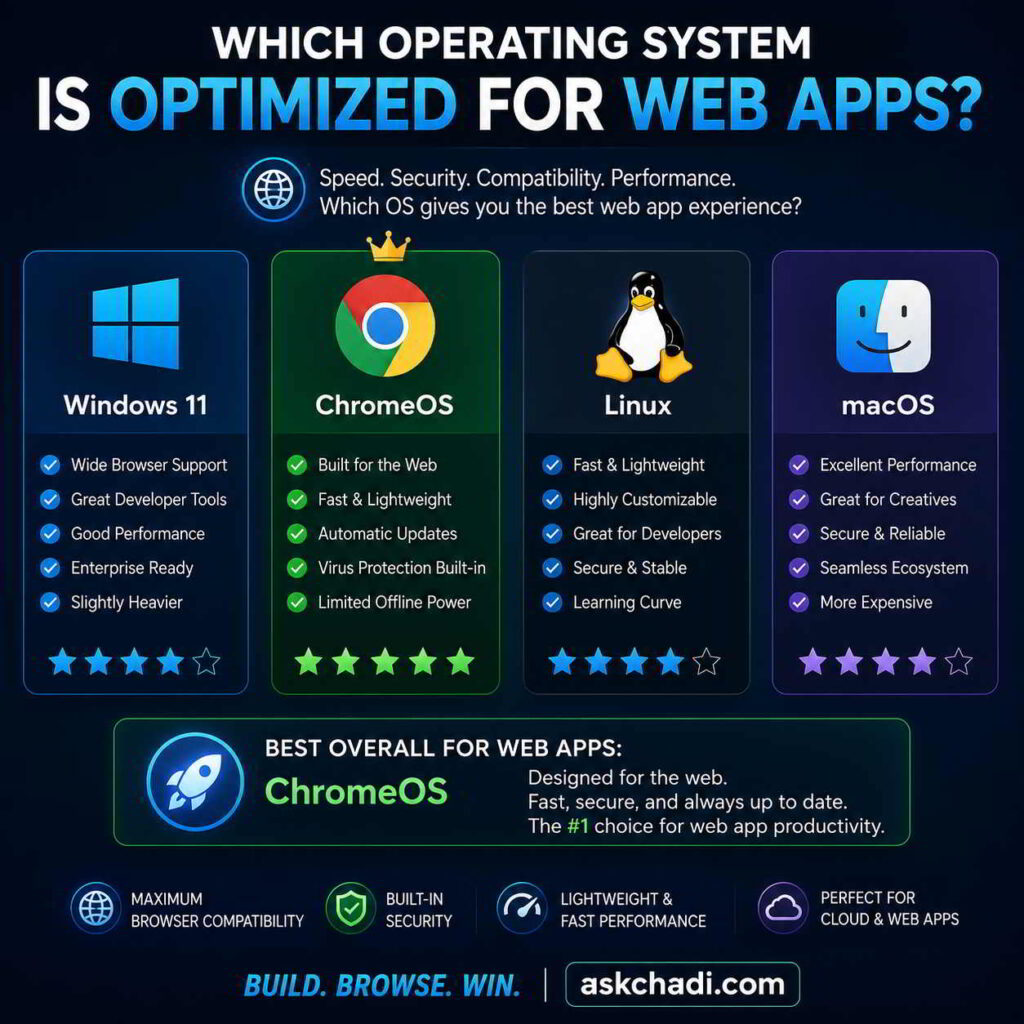
Which Operating System Is Optimized for Web Apps?
As more software moves to the cloud, choosing the right operating system has become increasingly important. If you’ve been wondering which operating system is optimized for web apps, this guide compares the leading platforms and ranks them based on speed, browser performance, security, compatibility, battery life, and overall user experience.
Table of Contents
Best Operating Systems for Web Apps
| Rank | Operating System | Best For | Rating |
|---|---|---|---|
| 🥇 | ChromeOS | Pure Web Computing | ★★★★★ |
| 🥈 | Ubuntu | Developers | ★★★★☆ |
| 🥉 | Windows 11 | Business Users | ★★★★☆ |
| 4 | macOS | Creative Professionals | ★★★★☆ |
| 5 | Linux Mint | Older Hardware | ★★★★☆ |
1. ChromeOS
ChromeOS is the clear answer to which operating system is optimized for web apps. Designed around the Chrome browser, it offers exceptional speed, security, automatic updates, and excellent support for Progressive Web Apps (PWAs). It is ideal for students, professionals, and anyone who spends most of their time using cloud-based applications.
- Fast startup
- Automatic updates
- Excellent security
- Low maintenance
- Great battery life
2. Ubuntu Operating System
The Ubuntu operating system is one of the best Linux distributions for web developers. It supports Docker, Node.js, Python, Git, Visual Studio Code, and all major browsers while remaining lightweight and secure.
3. Windows 11
Windows 11 provides outstanding compatibility with modern browsers and business software. Microsoft Edge, Google Chrome, Firefox, and Brave all perform exceptionally well, making Windows 11 a strong choice for productivity and enterprise environments.
4. macOS
Apple’s macOS combines excellent hardware optimization with strong browser performance. It is particularly popular among designers, developers, and professionals who rely on cloud-based tools alongside creative software.
5. Linux Mint
Linux Mint offers a simple interface with fast performance on older computers. It delivers excellent browser performance while consuming fewer system resources than many commercial operating systems.
Features That Matter Most
- Browser performance
- Memory efficiency
- Security
- Automatic updates
- PWA support
- Battery life
- Cloud integration
- Compatibility
Frequently Asked Questions
Is MS-DOS an operating system?
Yes. MS DOS is an operating system that powered many early personal computers before modern versions of Windows became popular.
What is a Multi System Operator?
A multi system operator (MSO) manages multiple cable television or telecommunications networks. Although unrelated to computer operating systems, many MSOs rely heavily on web applications for network management.
What is an Entrepreneurial Operating System?
The entrepreneurial operating system (EOS) is a business management framework designed to help organizations improve leadership, accountability, and execution.
What does “No Operating System Installed” mean?
The error no operating system installed usually appears when the computer cannot detect a bootable drive. It may be caused by a failed SSD, damaged boot files, or incorrect BIOS settings.
Can a DOS Operating System Laptop Browse Modern Websites?
A DOS operating system laptop can technically run very basic networking software, but it is not suitable for today’s modern web applications or secure browsing.
Is Windows 2000 Still Good?
The operating system Windows 2000 is now obsolete and no longer receives security updates. It should not be used for accessing modern online services.
What Is Operating System X?
The phrase operating system X commonly refers to Apple’s former Mac OS X, now known simply as macOS.
Why Choose Ubuntu?
The Ubuntu operating system remains one of the best choices for developers because it is free, secure, lightweight, and supports virtually every modern web development tool.
Final Verdict
If your work revolves around browser-based applications, the answer to which operating system is optimized for web apps is ChromeOS. For software developers, Ubuntu is an outstanding alternative, while Windows 11 and macOS continue to provide excellent all-around experiences for users who require both desktop software and cloud applications.